Point of sale for trading card stores
The register your card shop actually needs.
Ring up singles and sealed, buy and trade at the counter, sell on TCGplayer, track grading and run game night. One program, running right on your store's PC.
Pokémon · Magic: The Gathering · Lorcana · One Piece · Yu-Gi-Oh! and more
One menu, in the order your day goes
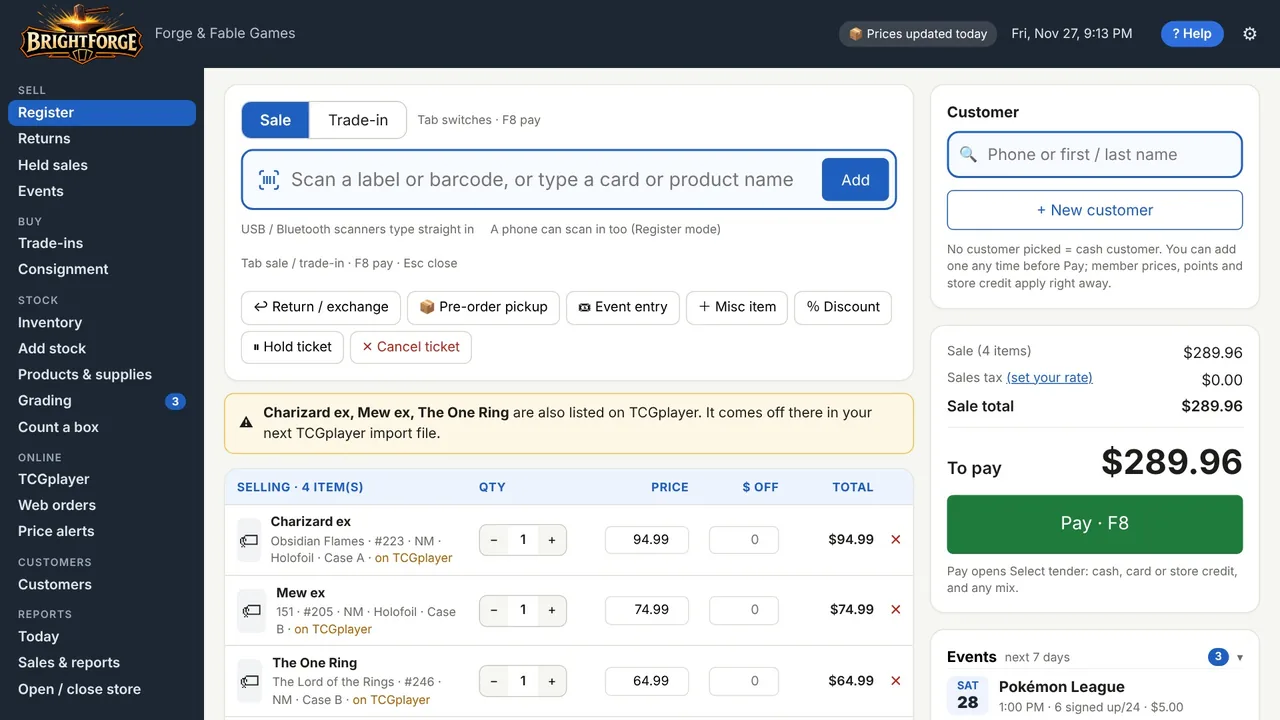
Every screen is one click from the menu on the left, and every screen is laid out the same way, so new staff find their way on day one.
Trade-ins and new stock
Buy at the counter without leaving the register
Flip the ticket to Trade-in and search a card or scan a sealed box's barcode. Each line shows the card's picture and today's market price, with a link to check it on TCGplayer, and the offer builds itself in cash or store credit.
Inventory
Know where every card is, and what it's worth today
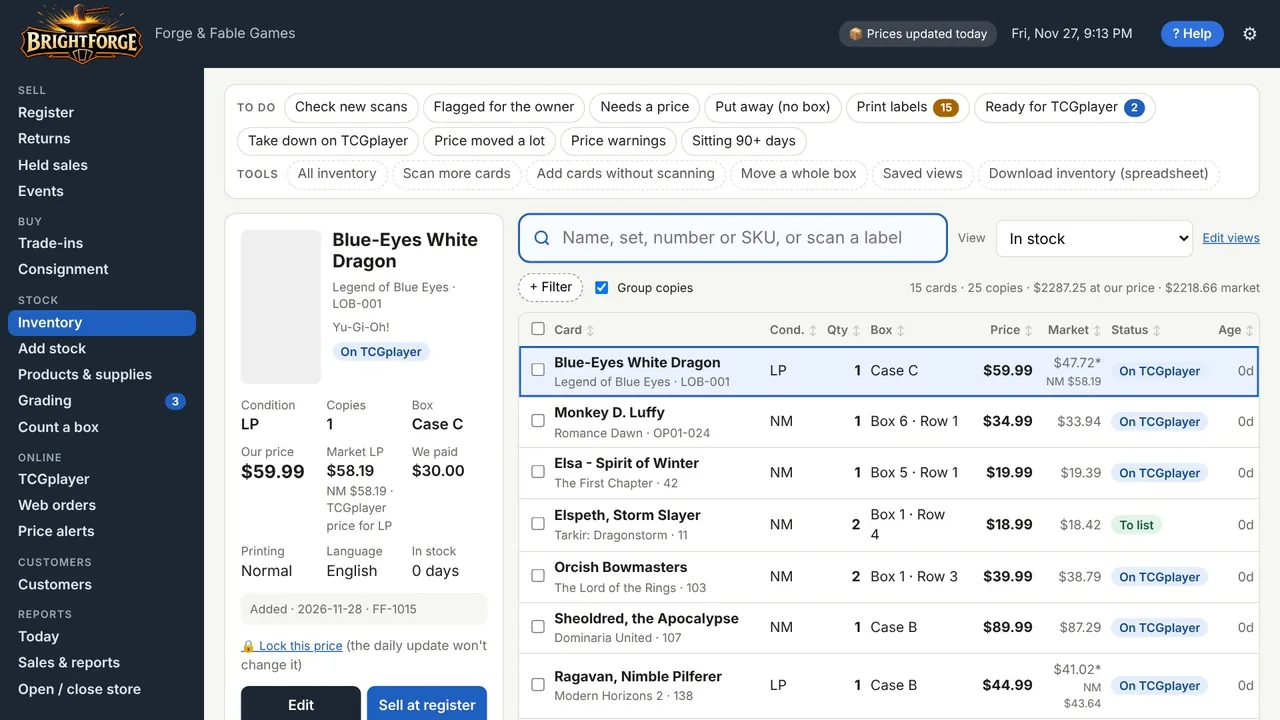
Prices update from the market every day. Brightforge flags cards that need a price, moved a lot, or have sat 90 days, and prints shelf labels with a QR code that rings up in one scan.
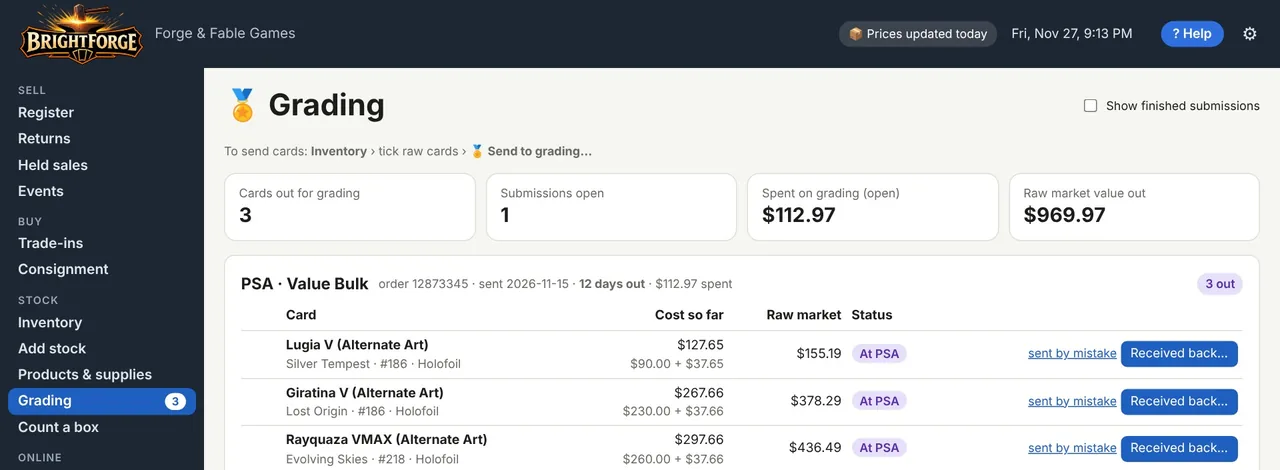
Grading
Raw to slab, with every dollar tracked
Tick the cards, pick the company and service, and Brightforge splits the fees and shipping across the order. When the slabs come home, enter the grade and cert, and a new label prints.
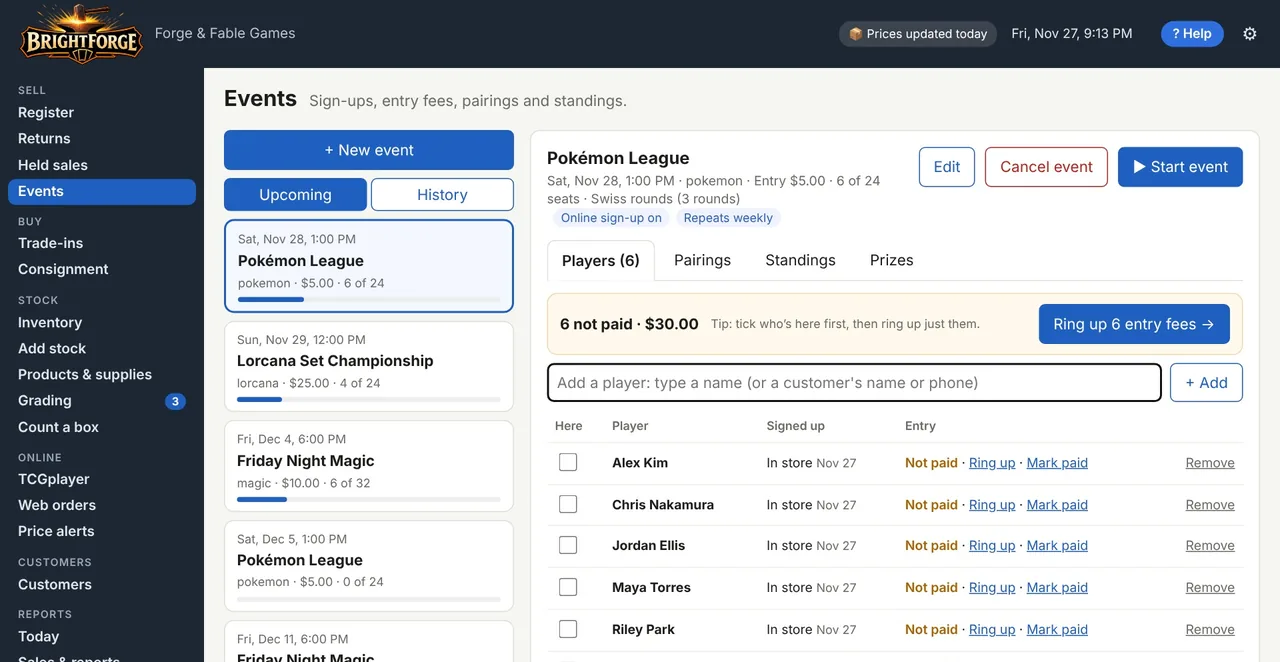
Events
Run Friday night from the same screen you sell from
Players sign up online or at the counter. Ring up every entry fee in one click, then pair rounds and post standings, no extra app needed.
Smart pricing
Knows a played vintage holo from a played modern one
A Lightly Played card from 1999 doesn't lose the same share of its value as one from last year. Brightforge prices every condition by game, era and card type, from real market data, so you don't overpay on buys or underprice the case.
Share of Near Mint price kept
Example: holo rares, by condition
Your shop online
A web shop that's always in stock, because it is your stock
Turn it on and your singles and sealed show up at a link with your store's name. Customers reserve for pickup, you confirm with a click, and the cards are set aside so they can't sell twice. Customers can also check their store credit and points, and consigners can see what sold.
Everything behind the counter, in one place
Stop juggling a register, a spreadsheet, a TCGplayer tab and a notebook of grading orders.
At the counter
Register
Singles, sealed, supplies and snacks on one ticket. Cash, card, store credit or a mix, with returns and held sales.
Buys and trade-ins
Scan what they bring in and Brightforge builds the offer from today's market, in cash or store credit.
Store credit and rewards
Credit balances, points per dollar and a customer list, like who hasn't been in for 60 days.
Memberships
Your own paid club: member prices, bonus points and first dibs on preorders.
Your stock
Singles inventory
Every card's condition, price, market value and the exact box and row it lives in.
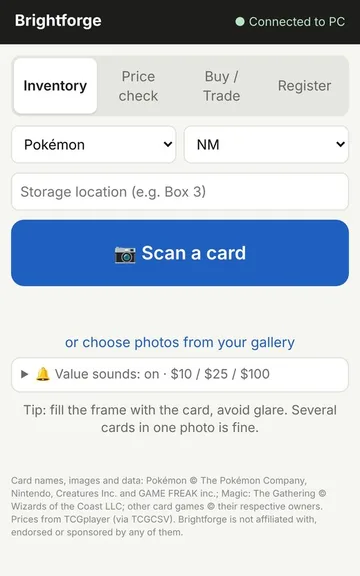
Any phone is a scanner
Snap cards into stock with the camera, check prices, or ring up a sale from the floor.
Barcode lookups
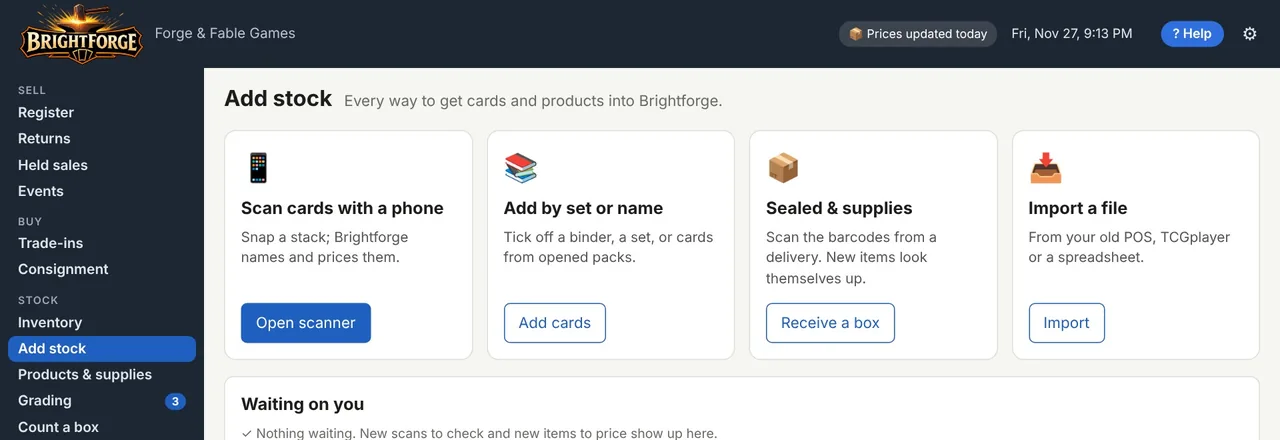
Scan a new sealed product and its name, picture and category fill in by themselves.
Labels that ring up
Shelf and top-loader labels with a QR code. One scan puts the card on the ticket.
Online
TCGplayer in sync
One file lists new cards and takes down anything that sold in the store.
Your own web shop
Customers browse your singles and sealed and reserve them for pickup, at a link with your store's name.
Event sign-ups
Players register online, pay at the counter, and you run Swiss pairings and standings.
Daily market prices
Prices refresh every day, with alerts for cards that jumped, dropped or need a price.
Running the shop
Grading submissions
Send raw cards to PSA, BGS or CGC and get them back as slabs, every fee added to cost.
Consignment
Take cards on consignment. Consigners see what sold from their phone, and payouts are tracked.
Staff and till counts
PINs for each employee, opening and closing counts, and over/short flagged right away.
Daily backups
A backup every day on your PC, copied to your cloud drive if you'd like.
Why shops switch to Brightforge
Runs on your own PC
Your data stays in your store, with a backup every day. No waiting on someone else's server.
Built by a store operator
Buy counter, trade-ins, consignment and till counts work the way a real shop works.
No special hardware
Any Windows PC and any phone. Barcode, label and receipt printers plug right in.
A real person answers
Questions go to the people who build it, and updates install with one click.
Up and running in an afternoon
1
Install it on your PC
One installer for Windows 10 or 11. No server to rent and nothing to configure.
2
Take the 2-minute tour
It sets up your store name, address and sales tax, then shows you the register, trade-ins, inventory and more.
3
Bring your stock over
Import it from your old system or a spreadsheet, or scan it in with your phone. Prices fill in from the market.
Pricing
To be announced
We're setting prices with input from real shops. Tell us what you use now and what it costs you, and you'll hear about pricing first.
Tell us what you'd wantQuestions
What do I need to run it?
A Windows 10 or 11 PC at the counter. Any iPhone or Android phone works as a scanner, and USB or Bluetooth barcode scanners, label printers and receipt printers work too.
Does it work on a Mac?
Brightforge runs on a Windows PC. Phones of any kind, iPhone or Android, work alongside it as scanners.
Which games does it handle?
Pokémon, Magic: The Gathering, Lorcana, One Piece, Yu-Gi-Oh! and other TCGplayer games, plus sealed product, supplies and anything else you sell.
Does it work with TCGplayer?
Yes. It builds the import file that lists new cards and takes down cards sold in the store, and it picks up TCGplayer orders so sold cards are pulled from the shelf.
How does it price cards in different conditions?
From real market data, by game, era and card type. A played vintage card and a played modern card don't drop by the same amount, and Brightforge knows the difference. You can still set your own rules.
Where is my data kept?
On your store's PC. Brightforge backs it up every day and can copy each backup to your OneDrive, Google Drive or Dropbox folder.
Can I bring my inventory and customers from my old POS?
Yes. Brightforge imports files from TCGplayer, BinderPOS, Shopify, Square, Crystal Commerce, Lightspeed or any spreadsheet: your singles, sealed and supplies, plus customers with their store credit and points. Your old labels keep scanning, and the whole import can be undone.
How long does setup take?
The installer takes a few minutes. The first time it opens, a short guided tour sets up your store name, address and sales tax and shows you around. Then scan your stock in with your phone.
Can I try it?
We're lining up a small group of early stores now. Send us a note below and we'll reach out.
Interested? Tell us about your shop
Questions, feedback, or the one thing your current system gets wrong. Every message is read by a person.